Create a Discord-Style Typing Indicator GIF
Generate a looping three-dot typing animation you can download and drop into chats, servers, or video edits. The animation renders in your browser, so your settings stay on your device.
This tool creates a standalone, downloadable GIF. It does not change Discord’s built-in typing indicator, require a Discord login, or connect to Discord’s servers. typinggif is an independent tool and is not affiliated with Discord.
Look-alike colors only. Not affiliated with or endorsed by Discord, Apple or WhatsApp.
Customize the three-dot animation
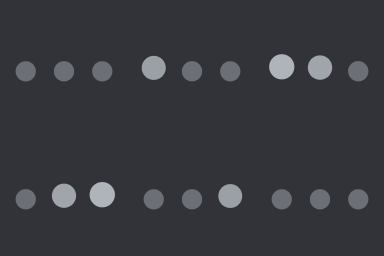
Adjust the dot color, motion, loop speed, and background to match dark or light chat themes. Because the animation renders in your browser, your files stay on your device from start to finish.

Where to use a typing indicator GIF
Post it in a channel as a reaction while you write a longer reply, embed it on a page, or drop it into a video edit. Pick the dark or light look to match where it will be seen, and the 240 × 96 strip when it sits under a line of text.
Export without watermarks or sign-ups
Download the GIF at 128 × 128, 160 × 160 or 320 × 320 px, or a 240 × 96 px strip. There is no watermark, no account required, and no export-count limit, and it uses no credits.
Add a line of text with a typing GIF
The dots GIF has no text. For a line such as the ones below, make a typing text GIF: the typing makers export a free GIF up to 1280 px on the longest edge (about 15 seconds) or silent MP4 up to 1080p (up to 60 seconds), with no watermark.
- Several people are typing...
- typing a long reply...
- hold on, let me explain
- Typing...
Frequently asked questions
Does this replace or install into Discord’s typing indicator?
No. This tool generates a downloadable GIF that you can post in a channel, embed on a page, or use in a video. It does not install into Discord or connect to your Discord account.
Is typinggif affiliated with Discord?
No. typinggif is an independent browser tool operated by the typinggif team in Hong Kong and is not affiliated with or endorsed by Discord.
Are there watermarks or export limits on the free GIF?
No. These GIF exports have no watermark, require no account, and have no export-count limit. The dots GIF comes at 128 × 128, 160 × 160 or 320 × 320 px, or a 240 × 96 px strip.
Is anything uploaded to a server when I make a typing GIF?
No. The three-dot bubble animation renders locally in your browser. Your settings and files stay on your device.
Last updated: 2026-11-10