Text animation generator
typinggif is an animated text generator that turns your lines into typing animations directly in your browser. It is built for anyone who needs quick text motion without complex editing software, and the standard export is free with no sign-up or watermarks.
Free and paid export specifications
Exports contain no logos, branding, or overlays, only the text you type.
All rendering and encoding happen inside your browser, so your text is never sent to or stored on a server.
- Free plan
- No watermark, no sign-up, no export limit
- Free GIF exports
- Up to 800 px on the longest edge, 15 fps, up to 10 seconds
- Free MP4 exports
- 720p, 30 fps, up to 10 seconds
- Paid GIF exports
- Up to 1280 px on the longest edge, up to 15 seconds
- Paid MP4 exports
- 1080p, up to 60 seconds
- Credit pricing
- $9 for 5 credits or $19 for 20
- Credit terms
- One credit per export, one-time payment, credits never expire
- Character limit
- Up to 280 characters across three animation styles
A text animation generator for green screen video clips
Traditional motion design tools require you to set keyframes, adjust easing curves, and manage complex timelines just to display a few words. This text animation generator removes that overhead. You type your line, select your preferred settings, and generate the animation immediately. There is no software to install and no learning curve. The animation is drawn and encoded locally on your device inside your browser, meaning your text is never uploaded to an external server.

Exporting silent MP4 text animations for video editing workflows
When producing motion graphics for video, MP4 video containers provide higher frame rates and broader editing compatibility than legacy image formats. Free exports render at 720p at 30 fps for up to 10 s, while paid credit tiers support 1080p up to 60 s. Because video tracks do not support transparent alpha channels in basic MP4 containers, animations export as silent video tracks against solid colors or a dedicated green screen background set to #00B140.
To composite the text over footage, place the exported MP4 on a track above your main video in an editor such as CapCut, Premiere Pro, or DaVinci Resolve, then apply the editor's chroma key effect: Chroma Key in CapCut, Ultra Key in Premiere Pro, or the Delta Keyer on DaVinci Resolve's Fusion page. Sample the #00B140 background with the effect's colour picker and raise the strength or tolerance until the green disappears. The typing text then sits cleanly over your footage, and you can still move, scale, or fade the clip like any other layer on your timeline.
Three typing presets with natural pauses
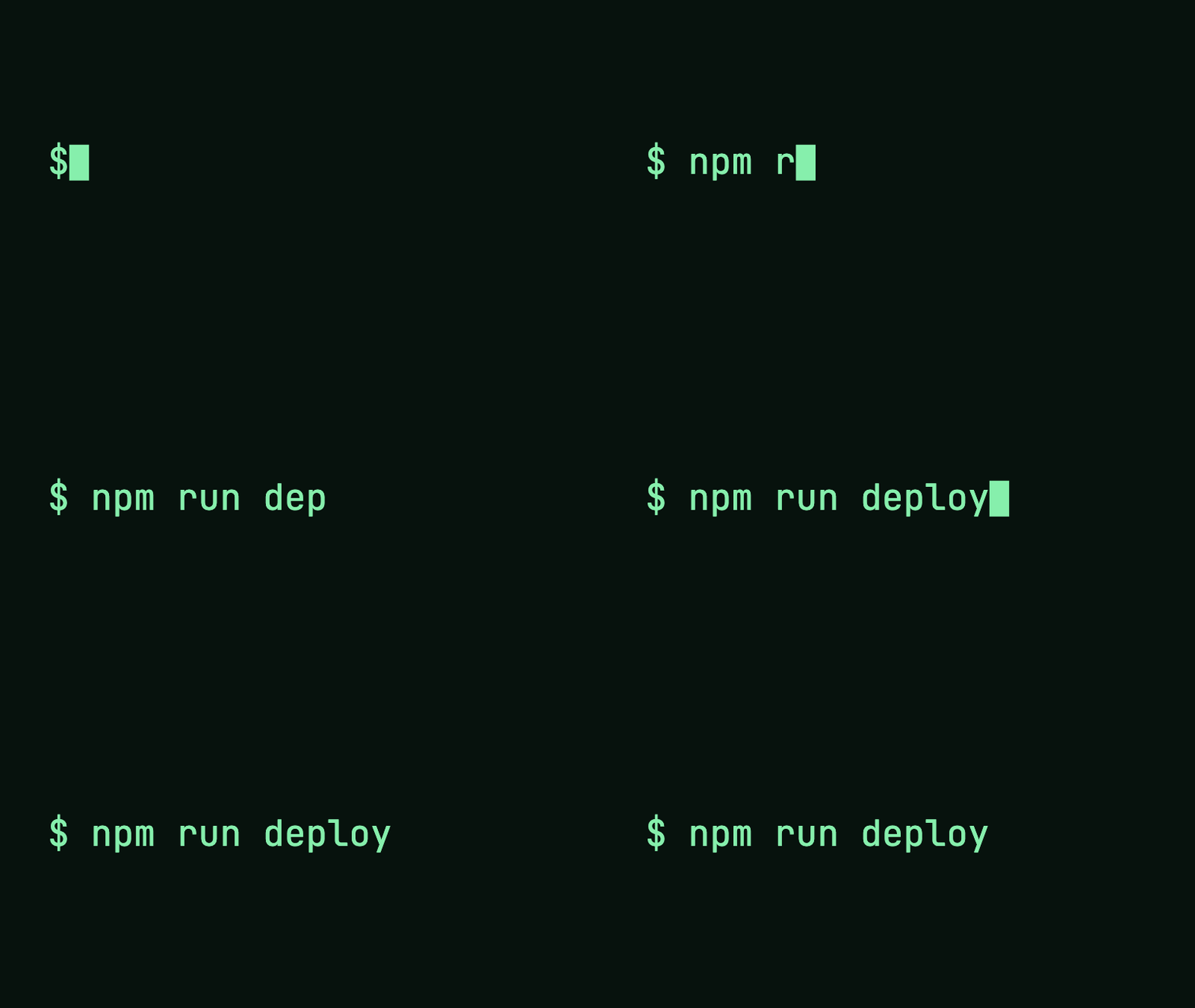
You can format your text using three distinct visual styles: Typewriter, which writes letter by letter with a thin caret; Terminal, which uses monospace styling with a prompt and block cursor; or Word by word. Real typing is not mechanical, so the tool includes automated pauses at punctuation marks. It applies a short hold after commas, semicolons, and colons, and a longer hold after periods, exclamation points, and question marks. You can toggle these pauses off, or inspect character timing using the preview strip beneath your text. You can also configure rotating endings to cycle between 2 to 6 phrase variations.
Fluid motion at 30 fps and framing for widescreen or mobile feeds
Exporting at 30 fps provides fluid character reveals compared to the 15 fps cadence of GIFs. This higher temporal resolution makes word-by-word sequences, terminal prompts, and rapid typewriter passages look integrated alongside live footage or software screen captures. Because these video exports contain no audio tracks, editors retain full control over sound design, typing Foley effects, and musical timing on separate timeline channels without needing to mute the graphic asset.
Selecting your aspect ratio depends on your target platform. Use the 16:9 horizontal format when producing software tutorials, desktop walkthroughs, long-form educational videos, or presentation recordings. Use 9:16 vertical formatting when building assets for Shorts, Reels, or smartphone-oriented product teasers. You can also disable punctuation pauses if your video demands an exact metronome pace, or keep them active so commas, semicolons, colons, periods, and exclamation marks pause naturally during spoken voiceover accompaniment.
Specifications
- Export formats: Looping animated GIF or silent MP4
- Free GIF limits: Up to 800 px on the longest edge, 15 fps, up to 10 seconds, 50 MiB maximum file size
- Free MP4 limits: 720p resolution, 30 fps, up to 10 seconds
- Paid credit limits: GIF up to 1280 px (up to 15 seconds) or MP4 1080p at 30 fps (up to 60 seconds)
- GIF exports also have a 250 million pixel-frame budget; maximum duration depends on size.
- Credit pricing: $9 for 5 credits ($1.80 each), $19 for 20 credits ($0.95 each); credits never expire; unused credits refundable within 7 days; free re-exports of the same file within 24 hours
- Text limit: Up to 280 characters; text shrinks to fit. Extra line breaks and rotating endings may need shorter text. Emojis and accented letters count as one character; over-limit warnings state the exact overage count
- Included fonts: Inter, JetBrains Mono, IBM Plex Mono, Space Grotesk
- Background options: Solid color, 1-bit transparency (GIF only), or green screen (#00B140)
How to make your animation
Write your text
Enter up to 280 characters. Text shrinks to fit the canvas; extra line breaks and rotating endings may need shorter text. Choose typewriter, terminal, or word-by-word animation.
Preview your animation
Choose an OFL font, colors, timing, and size. Check the full animation before exporting.
Download GIF or MP4
Your device checks the selected format before you export. Download the finished file directly from your browser.
Frequently asked questions
Is this text animation generator free to use?
Yes. You can export unlimited animated GIFs up to 800 px and MP4 videos at 720p without paying or registering for an account. The free download is the real, unwatermarked file.
Can I export a transparent background?
Yes, but only for GIF exports. GIFs support 1-bit transparency. MP4 files do not support transparency, but you can select the #00B140 green-screen background option to key the text over footage in your video editor.
Will my text be uploaded or stored?
No. The animation is drawn and encoded locally on your computer inside your web browser. Your text stays on your machine and is never sent to a server.
What is the rotating ending feature?
The rotating ending setting keeps the first part of your text static while typing, deleting, and retyping between 2 and 6 different phrases in a continuous loop.
How do punctuation pauses work?
The generator adds a short pause whenever it hits a comma, semicolon, or colon, and a longer hold after a period, exclamation mark, or question mark. You can view these pauses on the timing strip below the preview, or turn them off completely.
What are the paid credits for?
Paid credits allow you to export larger resolutions and longer durations. One credit yields one export at either GIF resolution up to 1280 px (up to 15 seconds) or 1080p MP4 at 30 fps (up to 60 seconds). Credits are a one-time purchase, never expire, and can be refunded within 7 days if unused.
What fonts can I use?
You can select from four open-license fonts: Inter, JetBrains Mono, IBM Plex Mono, and Space Grotesk.
What happens if my text is longer than 280 characters?
Text shrinks to fit up to 280 characters. Extra line breaks and rotating endings may need shorter text. The tool shows the number of characters to remove if your text does not fit, and it will never cut off your text silently. Export duration limits still apply; increase the speed or reduce pauses for longer text.
Why does the exported MP4 have no sound?
The generator renders visual text only, so the MP4 has no audio track. Add typing sounds, music, or voiceover on separate tracks in your video editor.
Can I export an MP4 file with a transparent background directly?
Standard MP4 containers do not support transparent alpha channels. To overlay the text onto other footage, export the animation with the #00B140 green screen background and apply a chroma key filter inside your video editor.
Last updated: 2026-10-23