Add Text to GIF Online – Free, No Watermark
Quickly add text to GIF animations directly in your browser without watermarks, sign-ups, or export-count limits. Whether you want to subtitle a reaction clip, label an interface detail, or customize a meme, you can do it here. Your GIF is decoded and rendered on your device; it is never uploaded or stored. Upload your animated GIF, customize the text style and position, and export your updated file while keeping the source frame timing.
An add text to GIF tool overlays readable captions or animated text onto an animated GIF while keeping the source frame timing; typinggif's version runs in your browser.
Only upload GIFs you have the right to use.
GIFs are decoded in your browser and never uploaded to a server; nothing is stored.
How to add text to a GIF


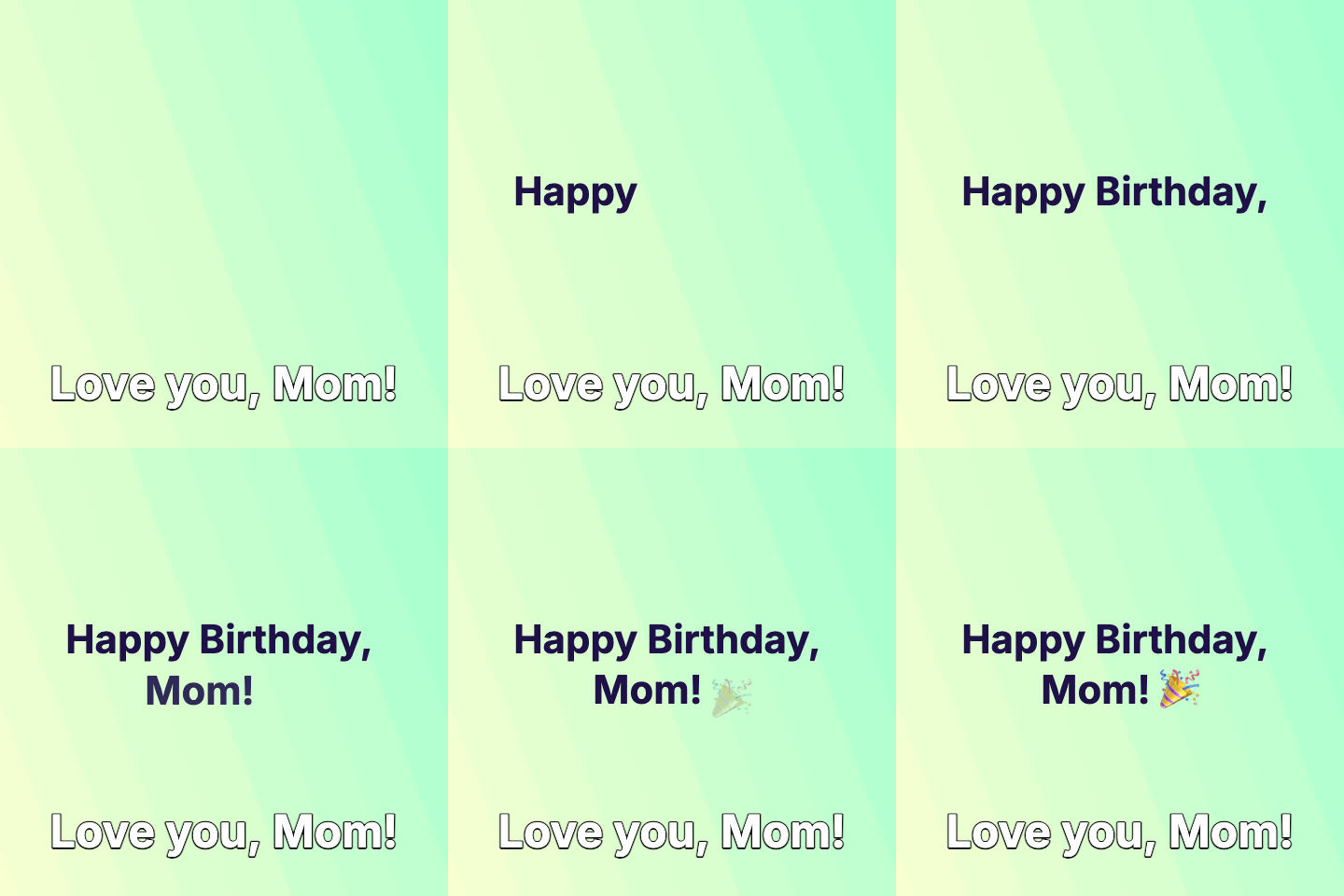
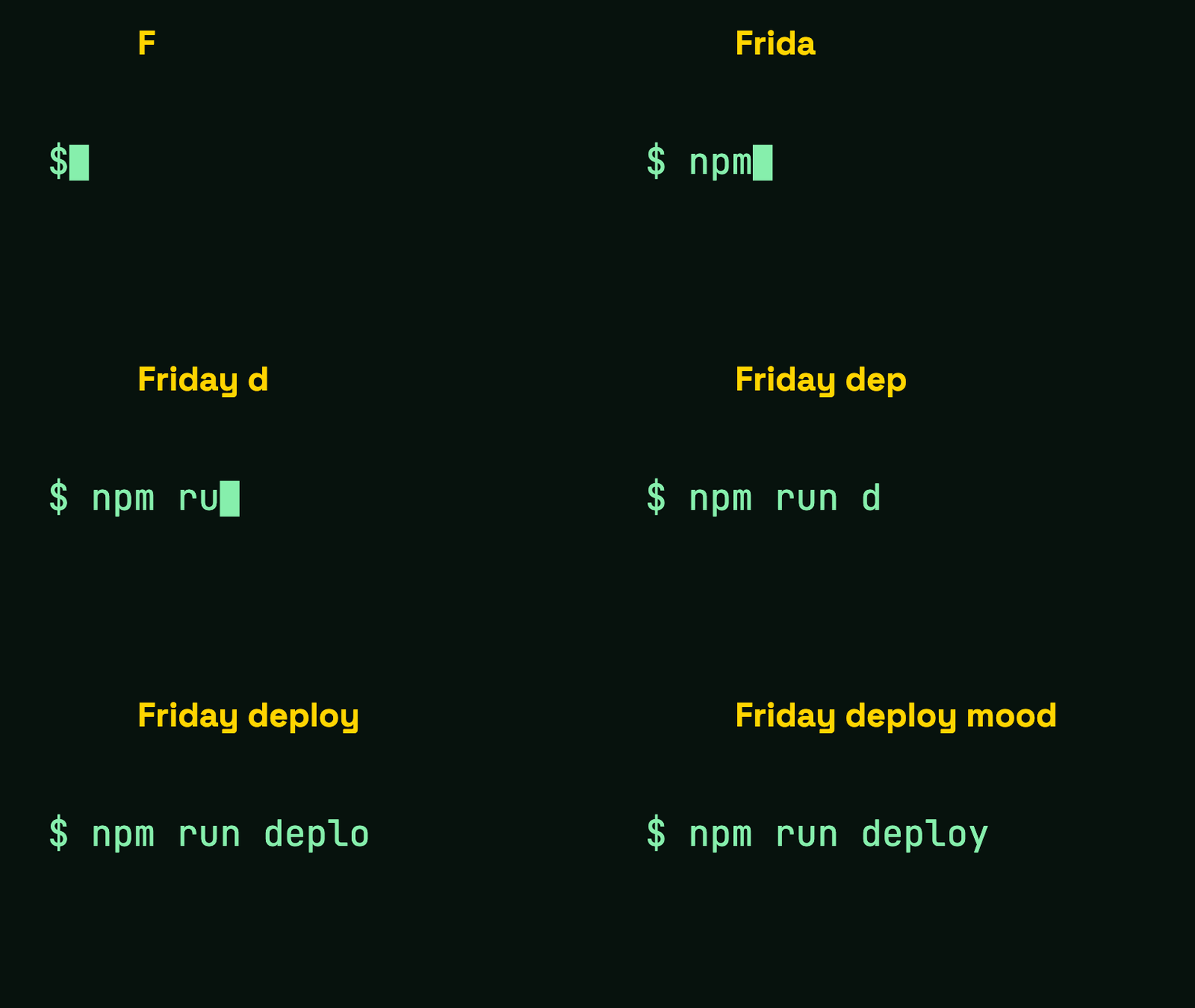
First, upload your animated GIF (up to 20 MB, 1000 frames, 4096 px per side, and 60 s). Second, type your message, choose your font, set the text size and colors, and adjust position or animation. Third, preview the result and export as a GIF or MP4 file.
To keep text readable across changing scenes, select a high-contrast text color and set a stroke outline width and color. You can place your text at the top, bottom, or custom coordinates using X and Y sliders. To build a text animation from scratch without a GIF, use the typing GIF maker.
Free GIF exports allow up to 1280 px on the longest edge, up to 60 s. Every GIF export must fit a 250 million pixel-frame budget; if exceeded, the export stops with a message, so choose a smaller scale, a shorter GIF, or MP4. Silent MP4 exports are free up to 1080p, up to 30 fps, and up to 60 s.
- Upload an animated GIF up to 20 MB and 1000 frames.
- Position text at the top, bottom, or custom X and Y coordinates.
- Set animation style to Static, Typing, or Fade.
- Export as a GIF or silent MP4 without watermarks.
Free and paid export specifications
Exports contain no watermark, and no sign-up is required.
All decoding and rendering happen inside your browser, so your uploaded GIF is never sent to or stored on a server. Paid HD exports send only a settings fingerprint for the credit check.
- License
- typinggif claims no rights and requires no attribution for added text. Uploaded GIF copyright stays with its owner, and outputs may only be used as that owner's license allows.
- Free plan
- No watermark, no sign-up, no export-count limit
- Commercial use
- Free and paid exports can be used commercially, within the source GIF owner's license.
- Free GIF exports
- Up to 1280 px on the longest edge and 60 s. Must fit the 250 million pixel-frame budget (over it, the export stops; use a smaller scale, a shorter GIF or MP4). Keeps source frame timing and 1-bit transparency.
- Free MP4 exports
- Up to 1080p, up to 30 fps and 60 s; silent; no transparency (solid matte color).
- HD GIF exports
- Above 1280 px up to 1920 px on the longest edge, up to 60 s. Costs 1 credit per export. GIF exports also have a 250 million pixel-frame budget; maximum duration depends on size.
- Credit pricing
- $5 for 20 credits
- Credit terms
- 1 credit per HD GIF export, one-time payment, credits never expire
- Upload limits
- GIF only, up to 20 MB, 1000 frames, 4096 px per side, and up to 60 s
GIF text editor: caption any animated GIF
Working with animated image formats requires careful handling of palette limitations and timing metadata. The editor keeps the source GIF frame timing; very short delays are normalized the way browsers play them. Colors are reduced to the GIF palette (up to 256 colors) in GIF exports.
Choose one of four fonts: Inter, JetBrains Mono, IBM Plex Mono, Space Grotesk. Use text size, text color, stroke width, and stroke color to make your words legible. An outline keeps captions readable over bright and dark frames.
Besides a static caption, you can type or fade the text in. The typing animation displays letters at a set characters-per-second speed with a cursor. The fade animation transitions in and out based on millisecond values you set. If the source GIF has transparency, a GIF export can keep it with 1-bit hard edges.
- Keeps source GIF frame timing with normalized short delays.
- Choose from four fonts: Inter, JetBrains Mono, IBM Plex Mono, Space Grotesk.
- Includes Static, Typing, and Fade animation styles.
- Supports 1-bit transparency retention for GIF exports.
Add a caption to a GIF
To add a caption to a GIF, upload it, type your caption, and adjust styling to match your clip. You can add caption to GIF files for memes, dialogue subtitles, or quick annotations. One line or block of text is supported per export.
When you caption GIF animations, an outline keeps captions readable over bright and dark frames. Adjusting the stroke width and stroke color helps the text stand out from the background.
No branding overlays or watermark on your export. You can adjust the Loop setting to Source, Forever, or Once.
- One text layer per export with top, bottom, or custom X and Y placement.
- Outline (stroke) controls help keep text readable over light and dark frames.
- Loop settings include Source, Forever, or Once.
- No watermark, no sign-up, and no export-count limits on any export.
Add text to a GIF for WhatsApp, memes and iPhone
For WhatsApp and other chat apps, a smaller scale and a shorter clip give a lighter file, and MP4 is usually smaller than GIF.
Placing text at the bottom or top of a loop works well for memes. You can choose a static line, a typing effect, or a fade.
On an iPhone or iPad, GIF exports loop according to the Loop setting, while MP4 is a regular video file. If a bug clip is already a GIF, a top caption naming the tap helps QA teams follow it. Video files are not supported. The tool checks which formats your device can export before you download.
Free and paid exports can be used commercially, but respect the license of any underlying GIF. typinggif claims no rights over outputs and needs no attribution. WhatsApp, iPhone, iPad and iOS are trademarks of their respective owners; typinggif is not affiliated with them.
Looking for a text to GIF generator?
If you need an animation made from typed text alone, without an existing GIF, there is a separate tool. Use our standalone text to GIF generator to type out a message, code or terminal command on a solid or transparent (GIF only) background, with no upload.
How to make your animation
Upload your animated GIF
Select an animated GIF up to 20 MB, 1000 frames, 4096 px per side, and 60 s. The GIF decodes locally in your browser.
Type and style your text
Enter your copy and choose static text, typing, or fade. Adjust font, size, text color, outline width, outline color, and position.
Preview and export
Check your animation, select a loop mode, and choose GIF or MP4. The tool checks which formats your device can export before you download.
Frequently asked questions
What are the free versus paid limits for adding text to GIFs?
Free GIF exports support up to 1280 px on the longest edge and 60 s. Every GIF export must fit a 250 million pixel-frame budget. If it exceeds this budget, the export stops with a message, so choose a smaller scale, a shorter GIF, or MP4. HD GIF exports above 1280 px up to 1920 px cost 1 credit each. MP4 exports are free, silent, up to 1080p, up to 30 fps, and up to 60 s. Credits cost $5 for 20 credits as a one-time payment and never expire. There is no watermark and no export-count limit.
Does my uploaded GIF or overlay text leave my device?
No. Your GIF is decoded and rendered on your device; it is never uploaded or stored. Paid HD exports send only a fingerprint of the settings for the credit check.
How long does it take to render and export the edited GIF?
Rendering runs directly on your device. Export speed depends on your hardware and the size and length of the GIF.
What is the refund policy for paid credit packs?
Unused credits are refundable within 7 days of purchase; for a partly used pack the refund covers the unused credits at the price paid per credit. The same export with the same text and settings can be retried within 24 hours without another credit.
Can I choose where the text goes?
Yes. You can place the text at the top, bottom, or a custom spot set with the X and Y sliders.
Does adding text alter the original speed or duration of the GIF?
No. The export keeps the source GIF frame timing; very short delays are normalized the way browsers play them.
Can I change how the GIF loops?
Yes. You can set the loop setting to Source, Forever, or Once.
Can I add music, stickers, or video clips to the GIF?
No. The tool supports animated GIF inputs only. It does not support video uploads, cropping, stickers, music, or AI captions.
What rights do I have over the GIFs I export?
You must only upload GIFs you have the right to use. typinggif claims no rights over outputs and requires no attribution for the text you add, but the uploaded GIF's copyright stays with its owner. Outputs containing someone else's GIF may only be used as that owner's license allows.
Last updated: 2026-10-27