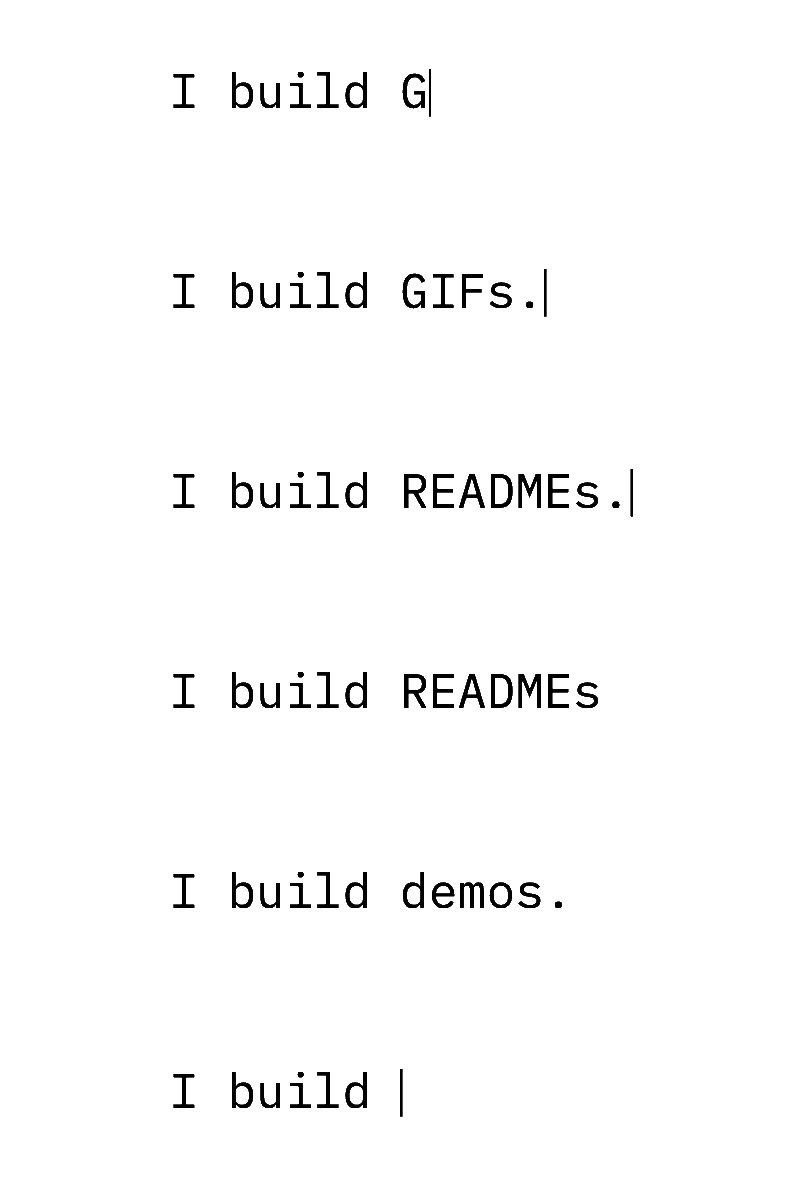
Generate an animated typing GIF for your GitHub README
Adding an animated typing GIF to your GitHub repository or developer profile README creates an immediate focal point for visitors. Rather than relying on static headers, a typing sequence introduces your repository purpose, highlights tech stacks, or demonstrates command-line utilities. This guide outlines how to configure, export, commit, and style browser-rendered animations tailored specifically for GitHub project pages.
Free and paid export specifications
Exports contain no logos, branding, or overlays, only the text you type.
All rendering and encoding happen inside your browser, so your text is never sent to or stored on a server.
- Free plan
- No watermark, no sign-up, no export limit
- Free GIF exports
- Up to 800 px on the longest edge, 15 fps, up to 10 seconds
- Free MP4 exports
- 720p, 30 fps, up to 10 seconds
- Paid GIF exports
- Up to 1280 px on the longest edge, up to 15 seconds
- Paid MP4 exports
- 1080p, up to 60 seconds
- Credit pricing
- $9 for 5 credits or $19 for 20
- Credit terms
- One credit per export, one-time payment, credits never expire
- Character limit
- Up to 280 characters across three animation styles
Step-by-step: Create, export, commit, and link your animation
Creating and embedding an animation requires no third-party dependencies, complex continuous integration actions, or hosted widgets. Everything runs locally in your browser and commits alongside your project files.
- Enter your copy into the editor, select your preferred typing style (typewriter, terminal, or word by word), and pick a typeface such as JetBrains Mono or Inter.
- Adjust timing parameters, punctuation pauses, and optional rotating endings, then render the animation in your browser.
- Download the generated file. File names are automatically derived from the text you typed.
- Place the downloaded file directly into your repository, such as inside an assets directory or right next to your README.md file.
- Commit and push the image to your repository branch using git add, git commit, and git push.
- Reference the asset in your README.md using standard relative image syntax:

Selecting banner dimensions and developer typefaces for headers
Repository README files benefit most from horizontal proportions that do not push critical documentation below the browser fold. The Banner (4:1) size preset creates a compact strip ideal for top-of-page placement. For repository headers, monospaced typefaces like JetBrains Mono and IBM Plex Mono reflect authentic terminal environments, making them suitable for developer tools, scripts, and package documentation. If your project is an application, library, or product overview, proportional typefaces like Inter and Space Grotesk offer clean editorial balance across desktop and mobile screens.
- Banner (4:1): Preserves vertical screen real estate while displaying multi-line or switching messages.
- 1:1 Square: Useful for small profile badges, organization logos, or side-by-side table cells.
- JetBrains Mono and IBM Plex Mono: Deliver structured spacing for code snippets, CLI commands, and flags.
- Inter and Space Grotesk: Provide modern interfaces for feature announcements and personal portfolio intros.
Handling GitHub dark mode and light mode themes
GitHub allows users to view repositories in light mode or dark mode themes. Standard transparent GIFs use 1-bit transparency, meaning edge pixels cannot blend smoothly against both bright white and dark charcoal backdrops simultaneously without creating a halo. The cleanest solution is to export two distinct files: one rendered with a dark background matte (such as typing-dark.gif) and another rendered with a light background matte (such as typing-light.gif). GitHub natively supports HTML picture elements with prefers-color-scheme media queries, switching assets automatically based on the reader's operating system or GitHub account settings.
- Export your sequence once with a dark background for typing-dark.gif.
- Export the identical sequence with a light background for typing-light.gif.
- Embed the following snippet in your README.md:
<picture>
  <source media="(prefers-color-scheme: dark)" srcset="./typing-dark.gif">
  <source media="(prefers-color-scheme: light)" srcset="./typing-light.gif">
  <img alt="Typing animation" src="./typing-light.gif">
</picture>
Local repository GIFs versus hosted animated SVG services
Many profile pages rely on external cloud services that dynamically generate animated SVG cards on the fly. While dynamic services can count live stars or commits, they introduce external network dependencies. If the third-party server suffers downtime, throttles requests, or changes domain ownership, your README displays a broken image icon. Furthermore, hosted SVG services query external servers every time a visitor views your page, which can introduce noticeable rendering latency.
In contrast, a pre-rendered GIF committed to your repository is served by GitHub with the rest of your files. It renders the same way for every visitor, keeps working without any outside service, and is also available in local clones of the repository.
- Reliability: Committed files cannot break due to third-party server outages or service closures.
- Performance: Images load directly from repository storage without external HTTP handshakes.
- Consistency: Frame pacing and typography render identically across all browsers and devices.
Optimizing file size and staying within free export tiers
Keeping repository file sizes light ensures fast page loads for developers on slower connections or mobile devices. The free tier accommodates animations up to 800 px on the longest edge at 15 fps, lasting up to 10 s with a 50 MiB ceiling. Because processing occurs entirely inside browser client memory without server storage, you can freely tune your parameters until the payload meets your constraints.
- Limit phrase length: Avoid redundant filler words to keep the character count well under 280 graphemes.
- Use the Banner ratio: A 4:1 banner has significantly fewer total pixels per frame than a 16:9 full canvas.
- Moderate rotating endings: Using between 2 and 6 endings increases total frame counts; stick to fewer variations for smaller files.
- Shorten pauses: punctuation pauses add hold time, so turning them off or keeping text short gives a shorter animation.
- GIF exports also have a 250 million pixel-frame budget; maximum duration depends on size.
Enhancing GitHub profile READMEs
A special repository named after your GitHub username displays its README on your public profile page. This makes it an effective space for personal introductions, current project focuses, and technology inventories. A typing sequence set to rotate through your core skills, current open-source initiatives, or social handles adds movement to an otherwise static text layout without occupying excessive vertical screen area.
- Welcome lines: Type your name followed by changing titles or primary technical stacks.
- Terminal demonstrations: Simulate a quick command execution showing your package installation syntax.
- Status updates: Feature currently active client work, recent learning milestones, or conference speaking dates.
How to make your animation
Write your text
Enter up to 280 characters. Text shrinks to fit the canvas; extra line breaks and rotating endings may need shorter text. Choose typewriter, terminal, or word-by-word animation.
Preview your animation
Choose an OFL font, colors, timing, and size. Check the full animation before exporting.
Download GIF or MP4
Your device checks the selected format before you export. Download the finished file directly from your browser.
Frequently asked questions
Why does GitHub show a broken image for my relative GIF path?
Ensure the file path accurately reflects your repository structure. If your file sits in an assets folder next to README.md, reference it as ./assets/your-file.gif. Check case sensitivity, as GitHub servers strictly match file name casing.
Can I use transparent backgrounds in a GitHub README?
Yes, but standard GIF transparency uses 1-bit alpha. Edge pixels must blend against a matte color. If users toggle between light and dark themes, a single transparent file may show light or dark halo outlines. Using the HTML picture element with two solid-color files prevents halo artifacts.
Does GitHub cache animated GIFs when I update the file?
GitHub shows README images through its image proxy, which can keep an older copy for a while after you push a new file with the same name. Renaming the file and updating the Markdown line is the most reliable way to show the new version.
Are there export limits on the free version for GitHub READMEs?
The free browser export generates GIFs up to 800 px longest edge at 15 fps for up to 10 s within 50 MiB. There are no watermarks, account requirements, or export quantity limits.
Last updated: 2026-10-23