Marquee text GIF
Design a custom marquee text GIF directly inside your web browser without installing software or registering an account. Our free generator creates lightweight, looping horizontal ticker animations with zero watermarks. Whether you need a ticker banner for an announcement, an alert overlay for a live stream, or a retro electronic display, you can configure your typography, set custom motion speeds, and generate production-ready files in seconds. Every animation renders locally on your hardware, ensuring your text remains completely private while producing smooth graphics for any digital platform.
A marquee text GIF is an animated looping graphic that scrolls a continuous line of text horizontally across a fixed frame, designed for website banners, stream alerts, and digital signage.
Make a seamless marquee text GIF in your browser

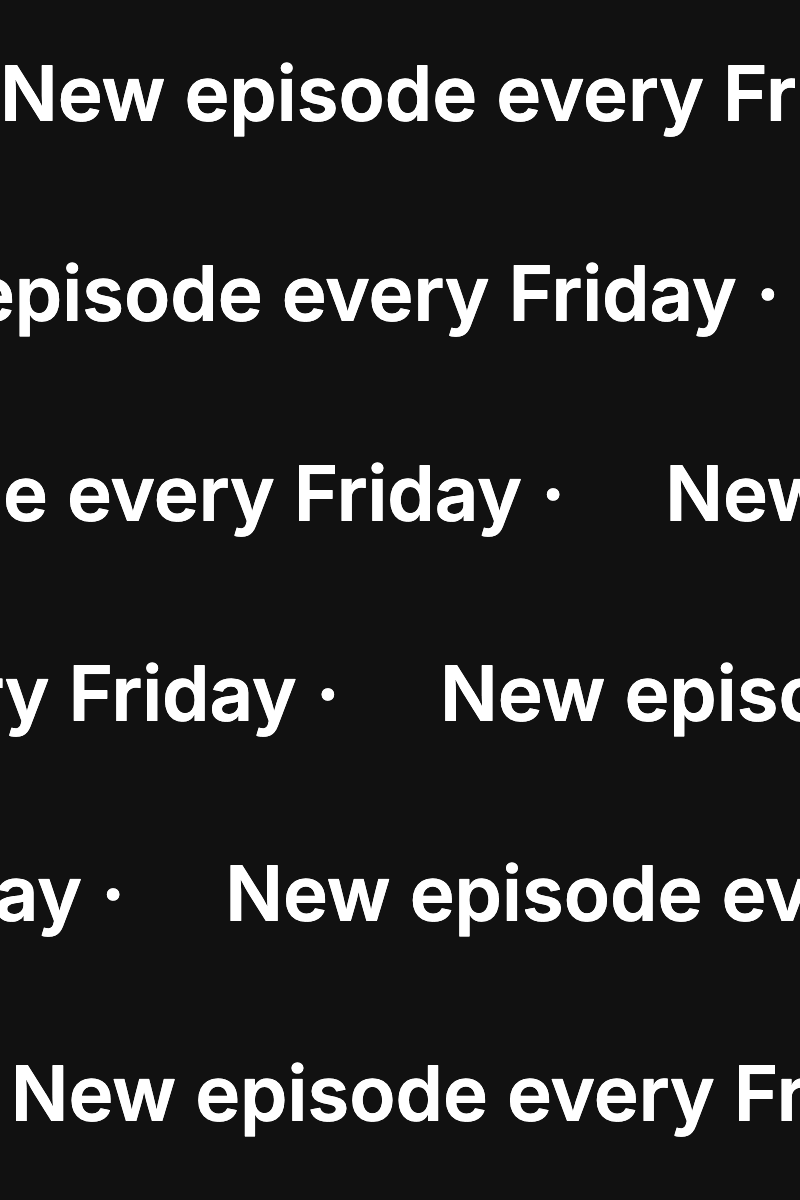


Traditional ticker animations often suffer from awkward visual jumps when the animation restarts. Our marquee text GIF engine solves this by calculating exact pixel travel distances and rounding cycle lengths so that the final frame flows seamlessly into the first. As the leading word scrolls off the edge, it immediately reappears on the opposite side at an identical spacing interval, creating a perpetual motion loop without visual stutter.
Getting started takes only a few seconds. Enter your announcement or headline into the editor, select your preferred reading direction, and adjust your speed. Size options include Banner (4:1, default 1280 x 320), 16:9, 1:1 and an 8:1 LED-style strip. By default, text runs smoothly from right to left at 200 pixels per second. You can position your text line along the top, middle, or bottom of the frame to leave room for other graphical elements. If you also need classic typewriter animations or terminal effects, explore our main typing text GIF maker for additional motion layouts.
Because our renderer runs entirely inside your client browser, you never have to wait in cloud rendering queues or upload proprietary messaging to remote servers. You can preview changes instantaneously, fine-tune your spacing, and export media ready for immediate publishing.
Free and paid export specifications
Exports contain no logos, branding, or overlays, only the text you type.
All rendering and encoding happen inside your browser, so your text is never sent to or stored on a server.
- License
- Free and paid exports can be used commercially. No attribution required.
- Free plan
- No watermark, no sign-up, no export limit
- Free GIF exports
- Up to 1280 px on the longest edge at 15 fps, within the 60-second export cap. The pixel-frame and file-size budgets may require a shorter animation.
- Free MP4 exports
- 1080p, 30 fps, up to 60 seconds
- HD GIF exports
- Above 1280 px, up to 1920 px, costs 1 credit. Exports are capped at 60 seconds and must fit the GIF pixel-frame and file-size budgets. GIF exports also have a 250 million pixel-frame budget; maximum duration depends on size.
- Credit pricing
- $5 for 20 credits
- Credit terms
- One credit per HD GIF export, one-time payment, credits never expire
- Character limit
- One line with up to 280 characters and 2,000 UTF-16 code units.
Scrolling text GIF controls: speed, gap, and direction
Crafting a readable scrolling text GIF requires balancing animation velocity against viewer reading speed. Our engine gives you granular control from a slow drift of 20 pixels per second up to an energetic rush of 2000 pixels per second. For long headlines or informational notices, moderate speeds between 150 and 300 pixels per second provide the most comfortable reading experience across mobile screens and desktop monitors.
Spacing between message repetitions is just as vital as pacing. You can customize the repeat gap to prevent the beginning of your sentence from crowding the end. A default gap equal to half the canvas width ensures clear visual separation between loops, giving viewers a distinct visual breathing room before your message repeats.
You can also choose between left-to-right and right-to-left scrolling. Standard tickers move text from right to left (leftward), while the reverse direction offers creative utility for stylized artistic banners, music visualizers, or specific interface designs. Whatever direction you select, the mathematical loop timing ensures continuous playback without jumps.
- Adjustable horizontal velocity ranging from 20 to 2000 pixels per second.
- Customizable repeat gaps to keep repeating phrases clearly separated.
- Leftward or rightward motion options to suit tickers or creative aesthetics.
- Top, middle, or bottom baseline alignments inside the banner container.
Scrolling text generator vs LED sign simulators
When searching for a scrolling text generator, many online tools merely offer full-screen browser previews that simulate handheld LED signs or stadium displays. While interactive screen simulators look fun on a smartphone held up at a concert, they do not provide standalone, reusable media files that you can drop into websites, slide presentations, or video projects.
Our tool operates as a dedicated graphic export engine rather than a temporary display toy. Instead of keeping your message locked inside a full-screen webpage, it compiles your typography into standalone image and video files that you can download immediately. You can embed the resulting graphic directly into your HTML, post it into chat apps like Discord or Slack, or import it into editing software. Discord and Slack are trademarks of their respective owners; typinggif is not affiliated with them.
For creators producing longer-form media or film sequences, we also offer an alternative vertical roll format. If you need vertical scrolling names rather than a horizontal ticker, switch to our rolling credits mode for cinematic presentations. When your project calls for vertical rolls instead of horizontal banners, check our dedicated End credits maker to generate cinematic attribution rolls.
Transparent banners for OBS stream overlays and websites
A scrolling banner GIF is an ideal addition to live streaming layouts and website headers. For live broadcasting in Open Broadcaster Software (OBS), you can generate a transparent ticker displaying stream goals, sponsor callouts, social media handles, or chat rules. The transparent background lets your gameplay or camera feed show through without obstructive solid boxes. You can design and download clean stream assets directly within typinggif without registering an account or installing plugins.
GIF transparency is 1-bit; antialiased edges are blended with an automatic matte (black for white text, white for colored text). White text works best over dark streams; colored text gets a light edge on dark video, so for colored text over video use the green screen (#00B140) MP4 and key it out.
If you use live video software or video editors, you can easily key out solid backgrounds or drop transparent graphics onto video timelines. OBS is a trademark of its respective owner; typinggif is not affiliated with it.
- 1-bit transparency enables floating ticker bars over live stream video feeds.
- Automatic edge matte blends white text against black and colored text against white; use green screen MP4 for colored text over dark video.
- Dedicated green screen #00B140 preset provides simple chroma-keying for video editors.
- Built-in typography options include Inter, JetBrains Mono, IBM Plex Mono, Space Grotesk.
Exporting marquee animations as GIF or silent MP4
Depending on your destination platform, you can export your animation as an infinite-looping animated GIF or a high-definition silent MP4 video clip. Both formats share the exact same underlying cycle math, meaning the beginning and end will match seamlessly regardless of the container file format you pick.
GIF files export at 15 fps, which provides fluid motion while maintaining compact file sizes suitable for web pages, documentation, and chat communities. Free tier GIF exports support up to 1280 pixels on the longest edge for animations up to 60 seconds (within the pixel-frame budget). If you require extra resolution for wide banners or high-density displays, HD GIF exports reach up to 1920 pixels. For typewriter-style animations instead of a ticker, open the typing GIF maker.
When file size efficiency is paramount, MP4 video provides an exceptional alternative. Silent MP4 exports render up to 1080p resolution at 30 fps for durations up to 60 seconds completely free. MP4 video uses modern inter-frame compression to deliver perfectly sharp typographic curves with tiny file footprints, making it the perfect choice for web background banners or video editing timelines.
How to make your animation
Enter your message and pick direction
Type your text into the input field and select whether you want your message to scroll from right to left or left to right across the canvas.
Adjust speed, gap, and background
Set your scrolling speed between 20 and 2000 px/s, adjust the repetition gap, choose your font, and select a transparent, solid, or green screen background.
Preview and export file
Check the seamless loop preview to verify readability, then click to download your free GIF or MP4 file with zero watermarks.
Frequently asked questions
What are the free export limits for marquee text animations?
Free GIF exports allow up to 1280 px on the longest edge at 15 fps for up to 60 s (within the pixel-frame budget). Free MP4 video exports support up to 1080p at 30 fps for durations up to 60 s. Both free formats include no watermarks and require no user registration.
How does the HD paid option work and what is your refund policy?
HD GIF exports above 1280 px up to 1920 px cost 1 credit from an HD pack priced at $5 for 20 credits. Only the same export with the same text and settings can be retried within 24 hours without another credit; changing the text or settings is a new export. Unused credits are refundable within 7 days of purchase.
Is my text data stored or processed on external servers?
No. All font rendering, frame generation, and file encoding execute client-side directly within your web browser. Your text never leaves your device or touches an external server.
How long does it take to render and download a marquee GIF?
Export time depends on your computer hardware, canvas dimensions, and animation duration. Shorter banner animations generally compile in just a few seconds on modern devices because rendering takes place locally.
How do I make the marquee loop without a jump or stutter?
The generator handles seamless looping automatically. It calculates the total scroll distance and rounds cycle duration so the trailing text repeats precisely as the leading text exits the frame, eliminating visual hitching.
Can I use the marquee GIF as an overlay in OBS for streaming?
Yes. Choose the transparent background option and export your file as a GIF, or select the green screen #00B140 preset and use a Chroma Key filter in OBS. Add the file as a Media Source set to loop.
Can I use my exported marquee graphics for commercial projects?
Yes. Both free and paid exports can be used in commercial projects, client websites, advertising banners, and monetized streams without providing attribution.
Last updated: 2026-10-27